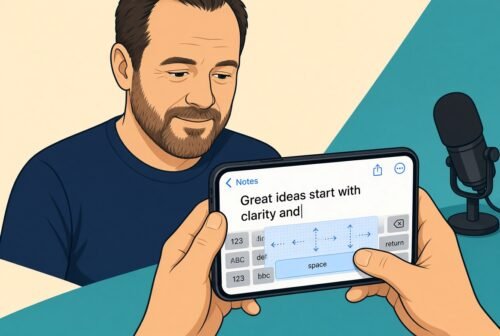







Dana’s second on-air “tip of the day” this episode is a genuinely handy iPhone trick: when you need to get your text cursor back into the middle of a word or line instead of stabbing at it with your finger, hold down the space bar. “If you hold down the space bar it turns into a trackpad and then you can move it to wherever you want it.” Your whole keyboard becomes a mini trackpad you drag your thumb across. Confirmed working on iPhone; Android apparently needs Gboard for something similar, which Dana wasn’t interested in for privacy reasons.
[No Agenda #1906 2:46:04]